Contents
Written with AI assistance and reviewed by 机器猫.
Watch the demonstration on Xiaohongshu (Chinese)
When is a route useful?
When you have worked out a reliable sequence for training, getting ready for bed or starting work, save it in Route Library.
A route is a reusable template rather than just another plan. Each time you choose Do Again, PlanCoach creates a fresh plan from the template and keeps a record of that run.
1. Adjust the plan until you want to follow it
Start with an existing plan. Edit the steps, order and descriptions until they fit. The first template does not have to be perfect; you can keep improving it after using it.
2. Add it to Route Library
Long-press the plan in the plan list and choose Add to Route Library.
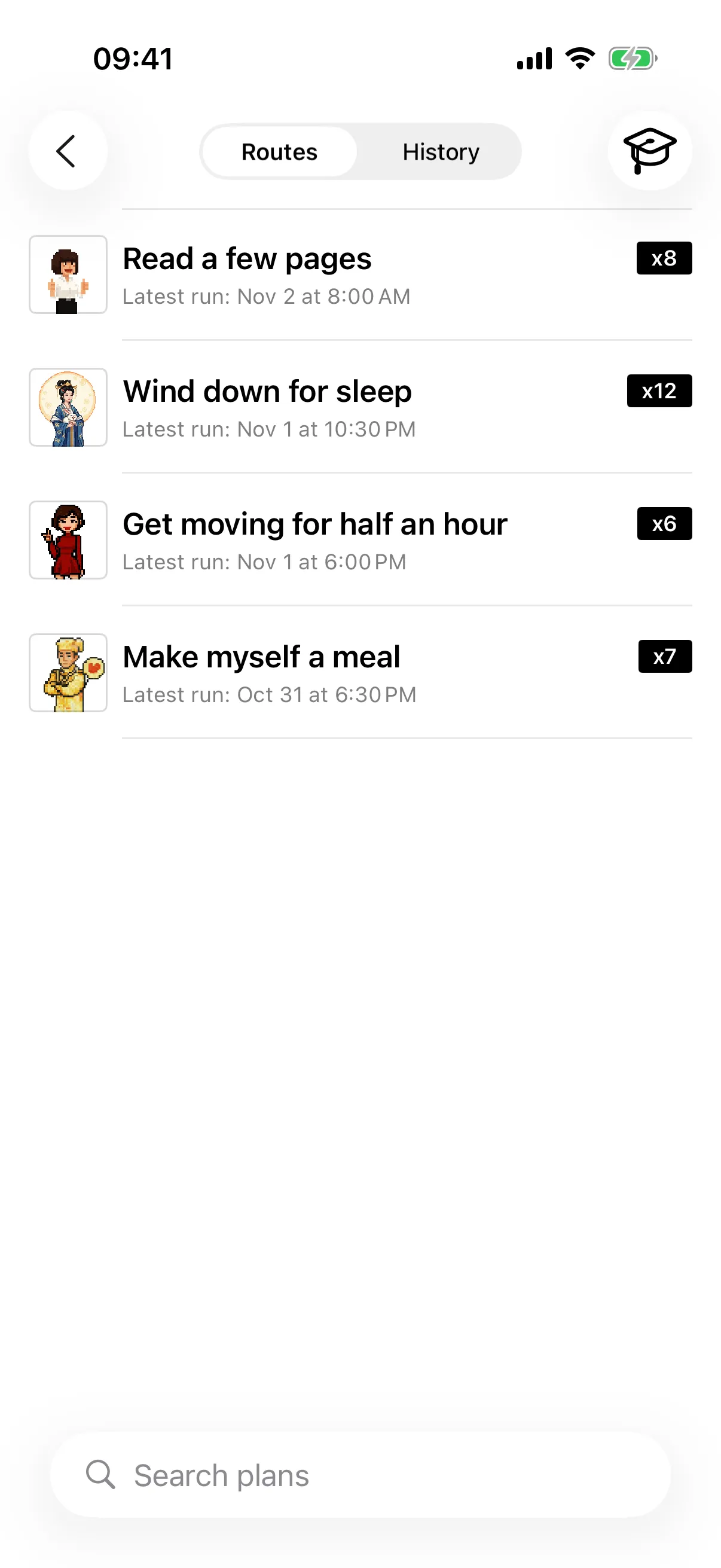
Switch to Route Library to find the new route. Give it a recognizable name if that helps.
3. Start a fresh run
Open the route and tap Do Again. Its details also show the run count, most recent run and execution history, helping you judge whether the routine is working.
4. Keep improving the template
After a few runs, you may notice steps that need changing. Open the menu at the upper right of route details and choose Edit Route. You can also open the route’s template plan from its execution history and edit it there.
The next Do Again run uses the updated steps.
5. Use a better run as the template
If a particular run worked better than the old template, open that run’s menu and choose Set as Route Template. Future runs will use its steps.
A useful shortcut
Using Redo on an ordinary task also turns it into a route automatically.
Route Library preserves what you learn through practice. Keep the template in step with your circumstances so starting next time takes less planning and fewer decisions.